
Employee Reimbursement
Provide a streamlined, transparent, and efficient process for employees to submit monthly reimbursement claims and for HR/Admin to review, verify, approve, or reject those claims accurately.
Simplify Submission
Simplify the reimbursement submission process for employees with an intuitive interface.
Automate Workflows
Automate the approval workflow to reduce manual processing, back-and-forths, and errors.
Enhance Transparency
Provide real-time status tracking for both employees and HR/Admin management.
Maintain Compliance
Ensure organizational policy compliance and maintain proper audit trails.
Module Features & Capabilities
End-to-end management for expense claims, approvals, and financial tracking.
Employee Functions
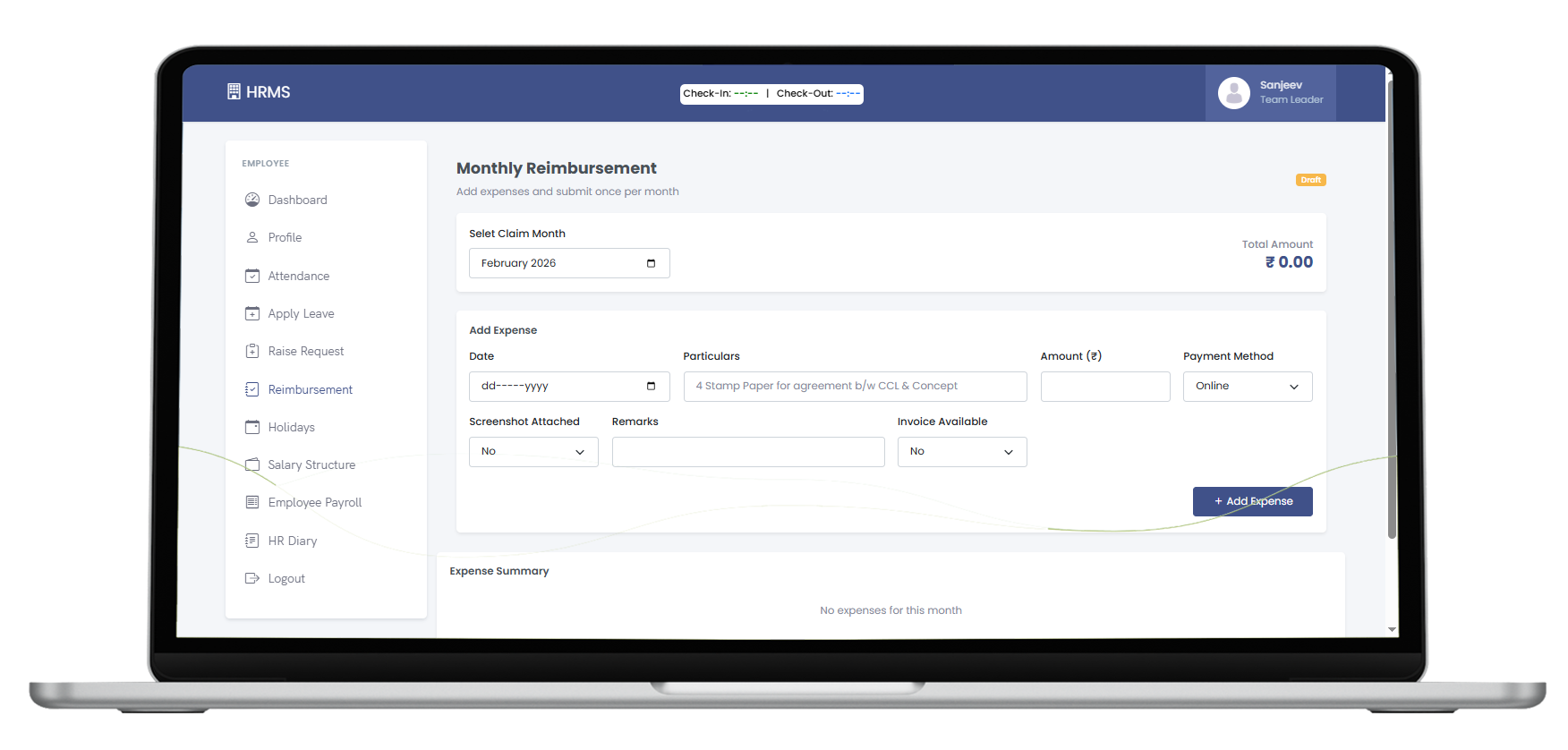
A frictionless experience for employees to log expenses and track their reimbursement status.
- Submit one monthly reimbursement request per claim period.
- Add multiple expense entries (Travel, Food, Medical, etc.) in a single claim.
- Upload supporting receipts and documents directly.
- Edit or delete items prior to final submission.
- View dashboard for Total, Approved, Rejected, and Pending claims.
HR & Admin Actions
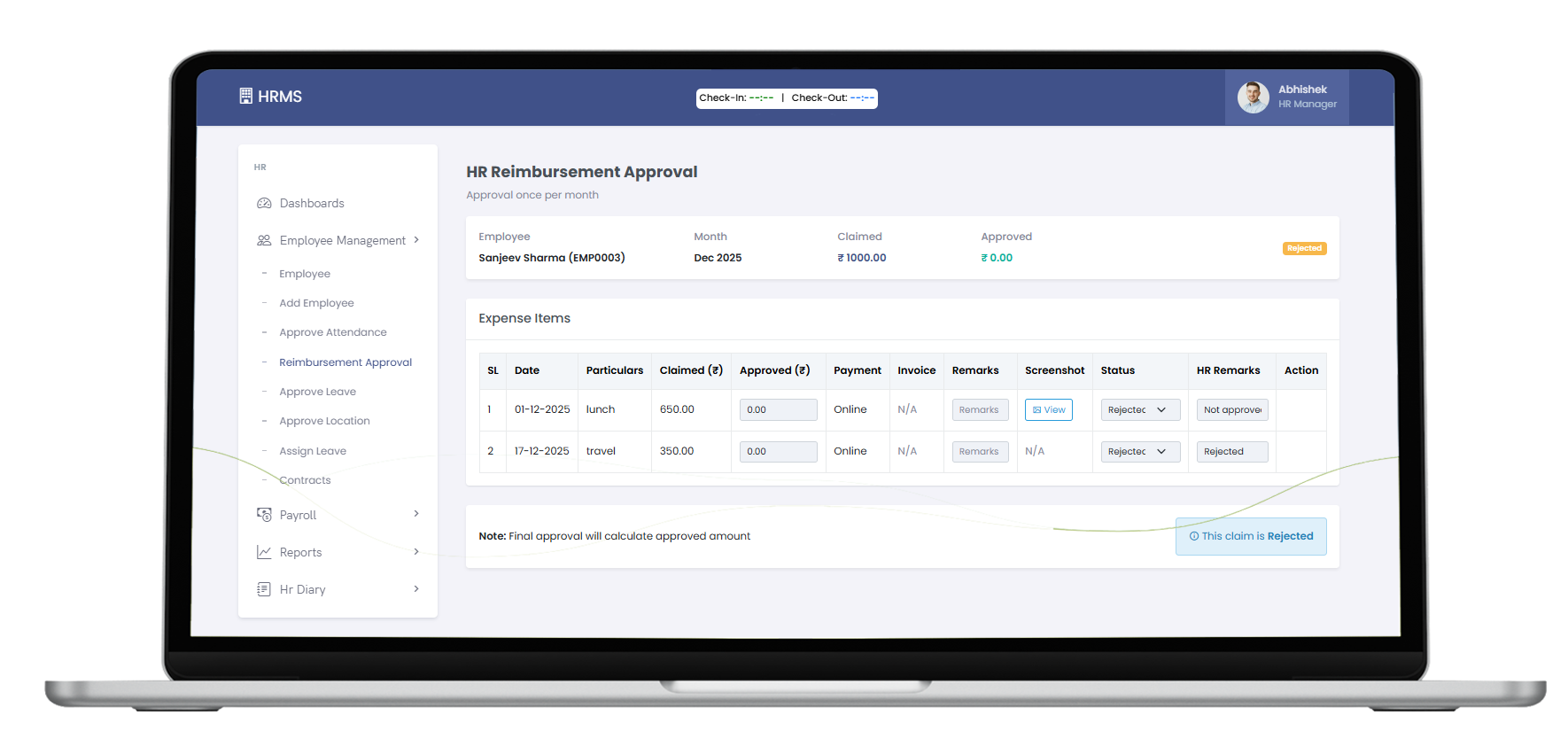
Equip administrators with the necessary tools to review, verify, and action financial claims.
- View full claim details, expense breakdowns, and attached receipts.
- Adjust or modify reimbursement amounts based on policy validation.
- Approve entirely, or reject individual expenses with detailed remarks.
- Return claims back to the employee for clarification/correction.
- Export reimbursement data for final payroll/finance processing.
Advanced Workflow & Validation
A robust, automated backend that enforces your policies, manages multi-step approvals, and ensures accurate data flows.
Security, Access & Compliance
Ensure financial data is handled with the highest level of security, proper role-based access, and strict organizational compliance standards.
Role-Based Access
Strict boundaries based on user roles.
- Employee: Create and view own claims only.
- HR/Admin: Review, edit, approve, reject, and manage settings.
Data Security
Protect sensitive financial documents and identity records.
- Secure, encrypted document upload.
- Enforced data retention policies.
Audit Readiness
Maintain perfect records for financial accountability.
- Detailed audit trails of all approvals and rejections.
- Ensure accurate records for internal/external audits.
Ready to Centralize Your Employee Data?
Take the first step towards an organized, automated HR department.
Request Module Demo Back to All Modules